TECHFUND
Media


A basic grasp on EVM Operations
Author: Ravi Kiran Betha
Virtual machine is a familiar term for developers who worked on Java technologies or Microsoft net framework for that matter. In simple words we can say, virtual Machine is an isolated computing environment created by abstracting resources from a physical machine or even Operating system.
EVM, short for Ethereum Virtual Machine is a similar environment used by Ethereum blockchain. Ethereum being a peer to peer network, any computer with EVM installed should be able to connect to Ethereum blockchain and participate in peer to peer activities. What can be done, how it can be done and under what circumstances it can be done is governed by EVM and peers participating in the Blockchain network.
EVM has a stack based architecture and has its own architecture and execution context. It is a computation engine that provides abstraction to computation and storage. In this article, we will focus on how EVM performs computations.
EVM accepts instructions in the form of Op codes which it then processes to generate an outcome.
Refer opcodes here.
Below is a broad classification for opcodes.
a) Arithmetic operations
b) Stack operations
c) Process flow operations
d) System operations
e) Logic operations
f) Environmental operations
g) Block operations
Test drive
Lets take the EVM on a test drive to get a better understanding on how it works.
We will try few simple operations to build our understanding about how EVM works behind the scenes.
We will experiment the below computation on EVM Playground
Low level Calculator
Addition 79 + 1052 = ?
Since EVM is a stack machine, we need to have data on the stack to perform computations.
EVM only understands data in hex, so we need to provide instructions in hex.
Need to understand the size of data in hex
OPCODES used are
60 : pushes 1 byte to stack
61 : pushes 2 byte to stack
01 : add two numbers
F3: halts execution and returns data
Lets build our instruction in bytecode
In order to build our instruction in Byte code, we need to put down the opcode and data in the order of sequence of execution.
a) Push data to stack for 79, 79 in hex is 4F
b) Push data to stack for 1052, 1052 in hex is 041C
c) add two numbers, opcode is 01
Lets build the opcode now.
0x60 4F 61 041C 01
For pushing 79, which in hex is 4F, we use 60 as op code. But for 1052, the hex is 041C which is two bytes and hence we need to use 61 op code.
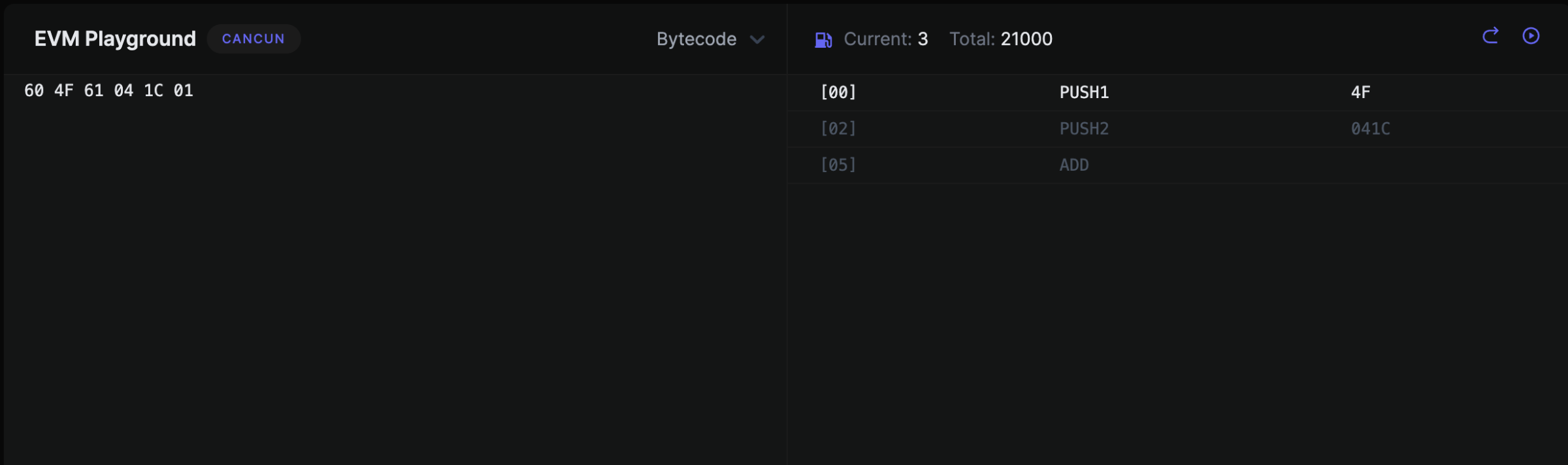
Run this opCode in EVM Playground.
After the run, the stack will have 46b as hex value. Lets convert this into decimal and we should get 1131 which is correct.
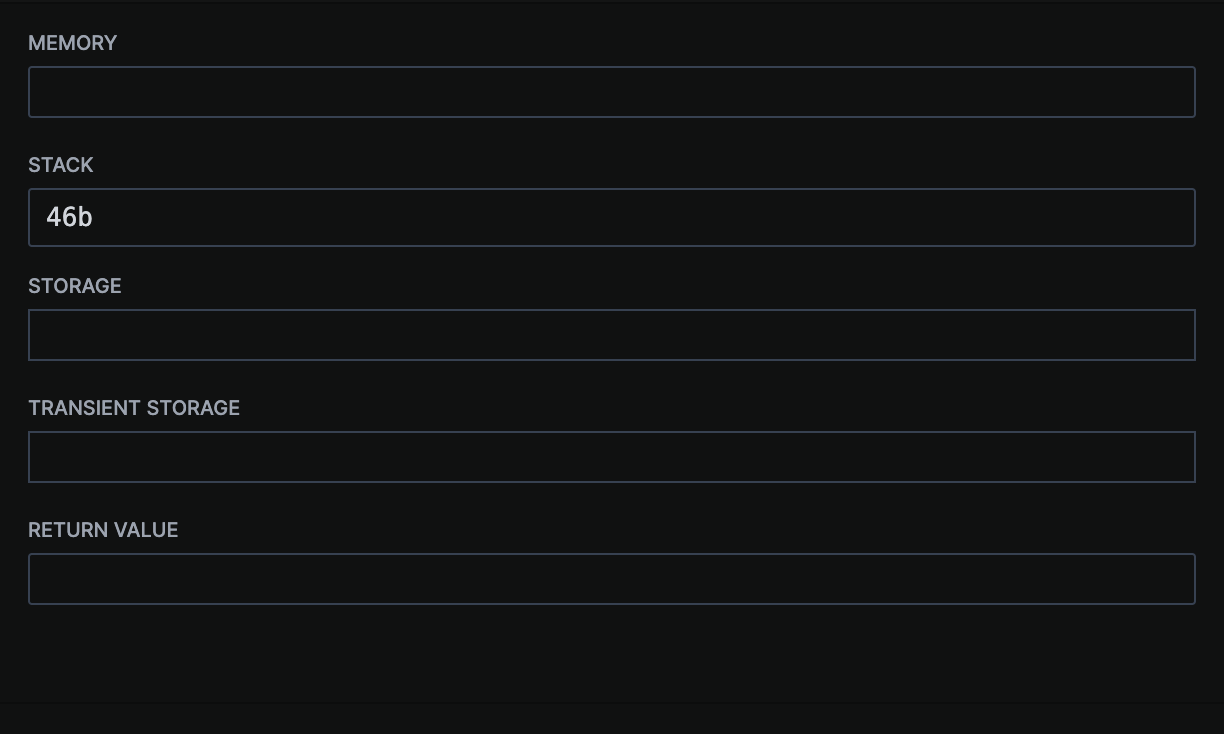
At this point, we wrote our first set to instructions to EVM in bytecode. In this exercise, we used push1, push2, and add opcodes. This exercise should cover our understanding for basic arithmetic operations and pushing data into stack for different byte sizes.
Basing this understanding, we should be able to play with other arithmetic operations and byte sizes.
In order to further strengthen the understanding of how opcodes work, experiment interacting with EVM via the EVM Playground
The more you interact and try complex scenarios, the stronger the understanding you will develop as part of this exercise.