TECHFUND
Media


How to Decompile a ByteCode - Heimdall-Rs
Author: Ravi Kiran Betha
Reference: Heimdall-rs
Most of us drive cars, some as a comfortable mode of transportation, while other are more passionate about what they drive. There are few, who are focused on how they drive. They measure their skill based on how much they squeeze from the machine they are driving.
May be that is why, in F1, the driver, the car and the engineering team spend time together trying to understand each other’s strengths and limits to maximise brute force they can extract together.
Recently, I started to check out some old CTFs around EVM and bytecode, and frankly did not know where to start. Felt like the driver that needs some serious up scaling of skill. In this pursuit, I looked at few of the write-ups and it was really an enlightenment on where one have to go. While, it is true that CTF may not always contribute to auditing skillset directly, I realised how much they can add to your abilities as security professional.
My enlightenment was, if performing auditing is conscious effort, CTFs is like training your subconscious mind.
With this motivation, I wanted to learn how to reverse the byte code to solidity as close as possible.
I did some experimentation earlier with byte code to opcode using evm.codes and that exercise was really helpful, but it did not cover the full path.
Limitation
a) Bytecode is difficult to interpret, assembly is not easy as well
b) Bytecode does not have enough information about variables and function names
c) Bytecode does not represent the linear flow of the program and difficult to understand.
Decompilation Process
The process of building back the close to original code is called decompilation and can be broken into four steps.
Step 1 :
Disassembly: This is the process of converting bytecode into assembly representation.
Step 2 :
Symbolic Execution: The process of generating a branch into a flow sequence from the assembly instructions above. Every JUMPI instruction creates a branch.
Step 3 :
Branch Analysis: The above branches may be interleaved with one another that renders the high level representation of the logic flow
Step 4:
Post-Processing: Making the high level representation assembled above more readable.
By reading through write-ups for different CTFs around evm, I came across the below three tools that were used to understand the bytecode.
b) https://github.com/eveem-org/panoramix
c) https://github.com/Jon-Becker/heimdall-rs
For this article, I choose to experiment with Heimdall-rs.
Decompiling with Heimdall-rs
I will be using Heimdall-rs as a tool to disassemble a deployed contract. Please refer the instructions in the below link to install it on your machine. Heimdall-rs
You can visit the configuration section in the link to configure the rpc endpoint to Ethereum main net.
In the following section, lets try to build back the code for deployed WETH contract on ethereum main net.
address : 0xc02aaa39b223fe8d0a0e5c4f27ead9083c756cc2
Deployed bytecode:
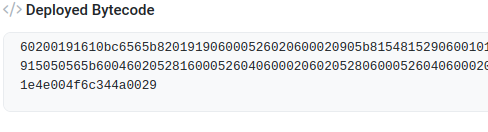
Heimdall-rs does all the hard work for us and simplifies the way to build back the source code from deployed contract.
a) Build the Solidity code:
I have configured the rpc end point Ethereum mainnet for Heimdall-rs for the below command to work.
heimdall decompile 0xc02aaa39b223fe8d0a0e5c4f27ead9083c756cc2 -vvv -d --include-sol --skip-resolving
On execution of the above command, the output is generated and written to your local machine under output folder.

There are two output files generated.
i) abi.json
ii) decomplied.sol
i) abi.json
This file contains the ABI for the contract. Please see below.
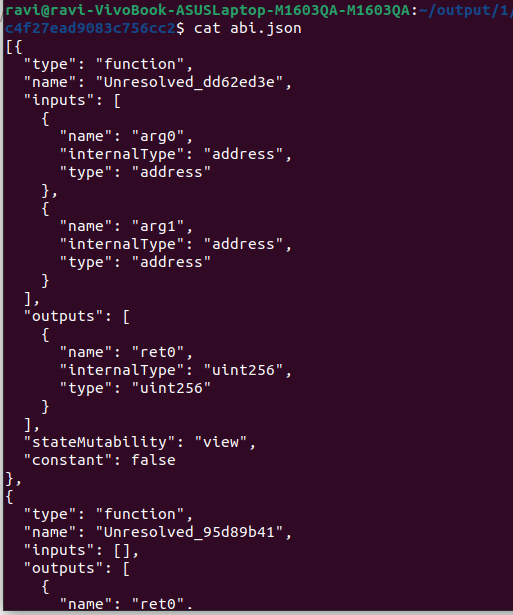
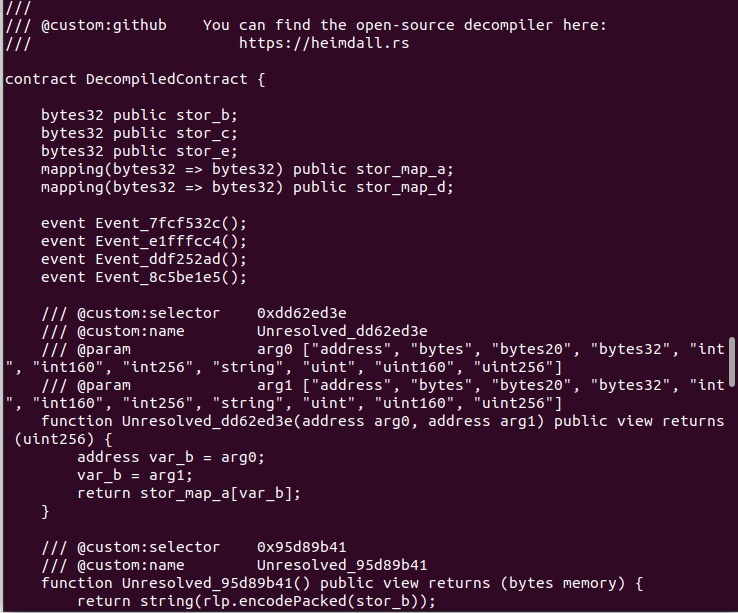
ii) decomplied.sol
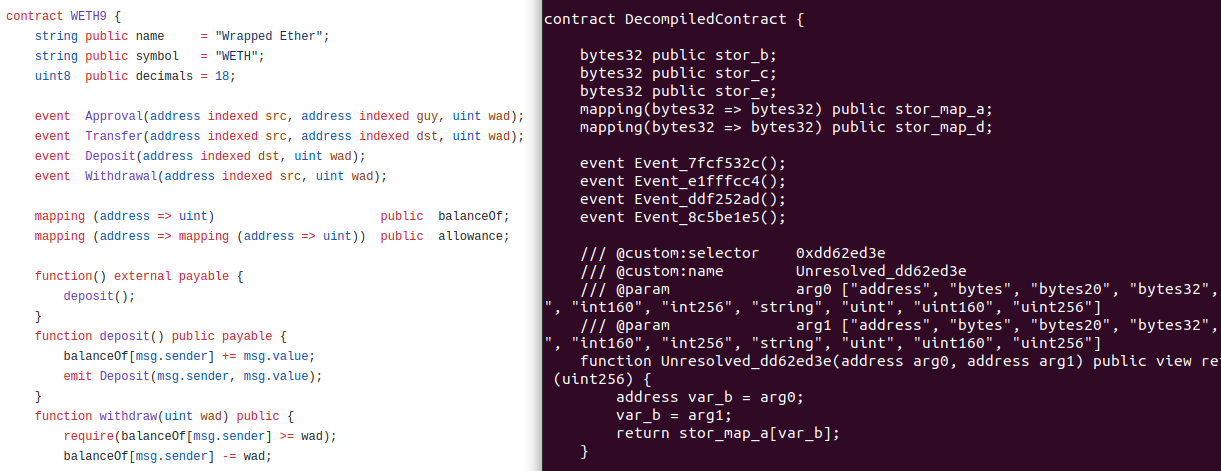
This file contains the source code for the original contract. As the names of the variables, contracts are not in the byte code, the generated code has some generic naming as below.
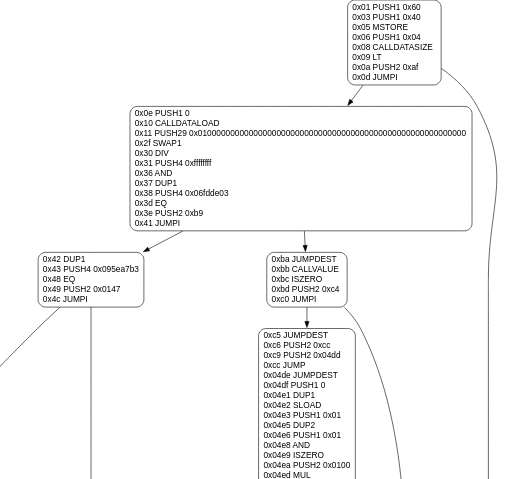
b) Generate Control flow graphs
using the below command, the control flow graphs can be generated, which writes the output to .dot file.
heimdall cfg 0xc02aaa39b223fe8d0a0e5c4f27ead9083c756cc2 -vvv
Opening the output file in visual studio renders the control flow graph as below.
c) Generate Interactive snapshot
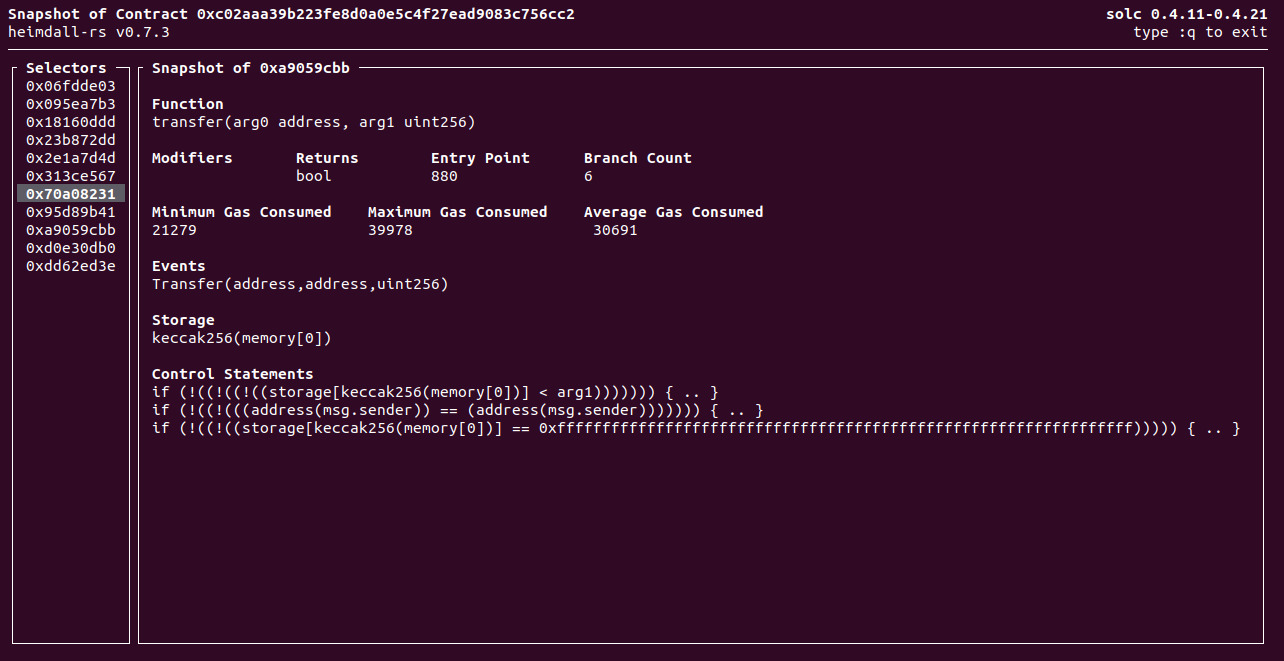
Essentially, we saw lot of the pieces come together with Heimdall-rs doing the hardwork. But, the snapshot is another cool feature that give you an interactive mode to learn about the functions of the contract.
heimdall snapshot 0xc02aaa39b223fe8d0a0e5c4f27ead9083c756cc2 -d -vvv
The below interactive screen allows you to look at each of the functions and understand various key aspects attached to the function as below.
i) Function Signature
ii) Modifier
iii) Gas
iv) Events
v) Storage
vi) Control statements
The decompilation process is a very complex process, the complexity will grow based on underlying contract code, but Heimdall-rs removes many layers of complex iterative process, simplifies the decoding and saves many hours of manual work.
Below is a side by side comparison between source code[potential] of WETH.sol and what was built back by heimdall-rs.
After exploring the capabilities of Heimdall-rs, I now at least have a clear start point for CTFs that start with a bytecode.